If you are reading this post, that means you already know about serverless, cloudfront and deploying front end using S3 static web hosting. In this article, I will be sharing a different approach to solve the 403 and 404 error, when a user tries to visit a page of your SPA using direct URL.
The Problem
In any SPA framework, the app itself is loaded when you load the home page (e.g. /, or /index.html). For example, let’s say, you have deployed your web in S3 with configuration:
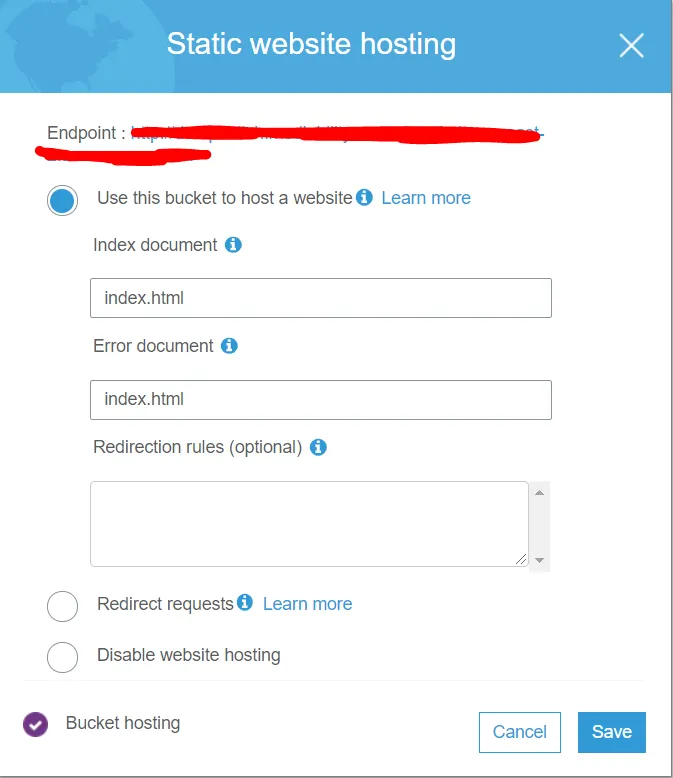
And the cloudfront behavior is like:
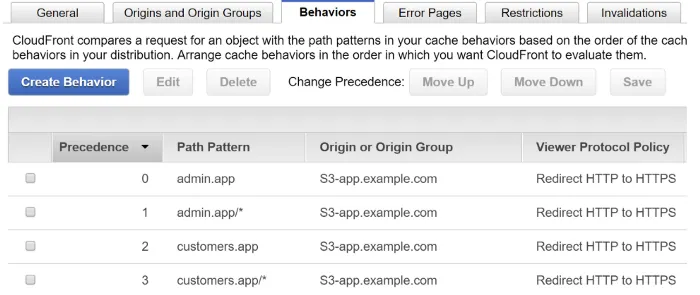
So, whenever a user goes to app.example.com, it loads the index.html from your S3 bucket that you configured with the cloudfront. But if you go to another page like app.example.com/dashboard, it will first return a 404 error as your app hasn’t been loaded yet, since the index.html hasn’t been loaded. As you see in the S3 configuration, any error will render the index.html, so it will load the index.html and then will redirect you to the specific route you put in the address bar. You can verify it by hitting the URL with get request with postman, you will get a 404 error, but the page will be rendered fine.
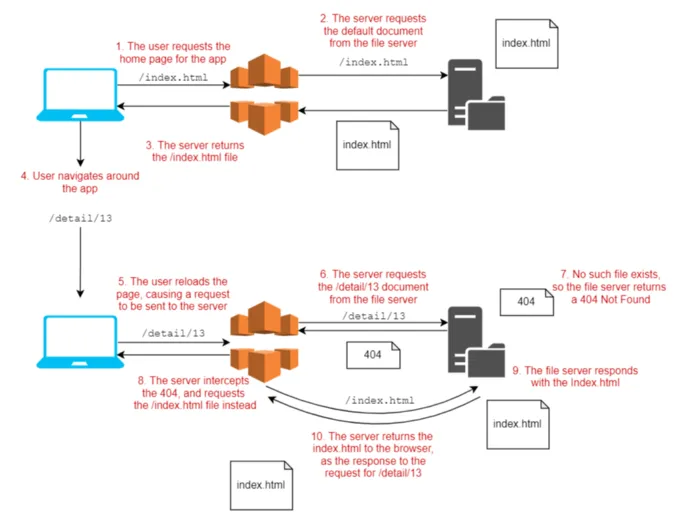
One Traditional Solution
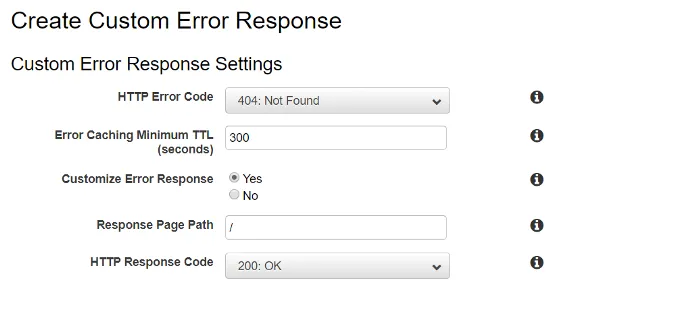
One traditional solution for this 404 error can be setting a custom error in the cloudfront error pages tab in the 2nd picture. You can change any 404 status to 200 there and it will work fine. But problem will arise if you have configured your API gateway and S3 static web hosting in the same cloudfront. Then any 404 error from the APIs of the API gateway will also return 200 status, but we are not expecting the APIs to behave like that. Only the SPA client should behave like that.
Lambda@Edge Solution
As described in the documentation :
Lambda@Edge lets you run Lambda functions to customize content that CloudFront delivers, executing the functions in AWS locations closer to the viewer. The functions run in response to CloudFront events, without provisioning or managing servers. You can use Lambda functions to change CloudFront requests and responses
Let’s see how to solve the issue with Lambda@Edge The first step is to create a new AWS Lambda function. There’s many ways to do this, but I just created one by clicking Create Function in the us-east-1 web console:
Important: Make sure your region is set to us-east-1 (N. Virginia), even if that’s not your usual region. Lambda functions for use with Lambda@Edge must use this region!
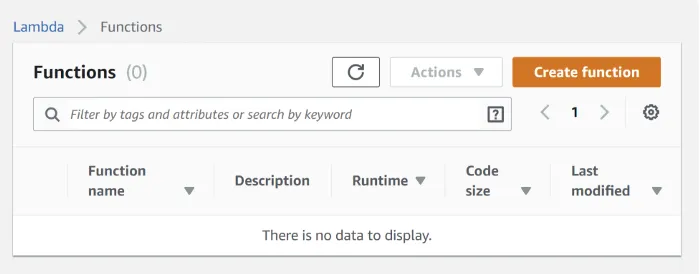
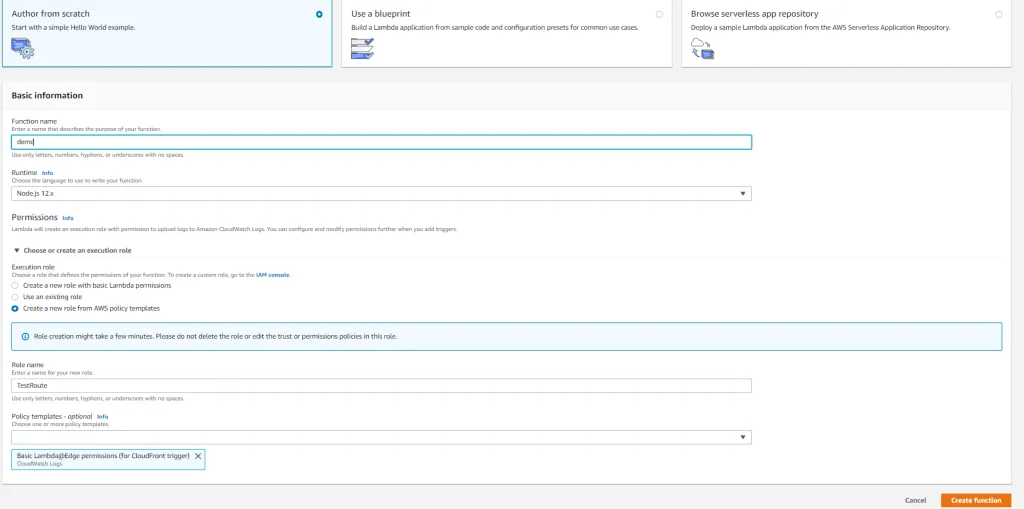
After creating the function, go to the code editor and write the function. Code credit from here. I modified the code for my need.
'use strict'; const http = require('https'); const indexPage = 'index.html'; exports.handler = async (event, context, callback) => { const cf = event.Records[0].cf; const request = cf.request; const response = cf.response; const statusCode = response.status; // Only replace 403 and 404 requests typically received // when loading a page for a SPA that uses client-side routing const doReplace = request.method === 'GET' && (statusCode == '403' || statusCode == '404'); const result = doReplace ? await generateResponseAndLog(cf, request, indexPage) : response; callback(null, result); }; async function generateResponseAndLog(cf, request, indexPage){ const domain = cf.config.distributionDomainName; const indexPath = `/${indexPage}`; const response = await generateResponse(domain, indexPath); console.log('response: ' + JSON.stringify(response)); return response; } async function generateResponse(domain, path){ try { // Load HTML index from the CloudFront cache const s3Response = await httpGet({ hostname: domain, path: path }); const headers = s3Response.headers || { 'content-type': [{ value: 'text/html;charset=UTF-8' }] }; return { status: '200', headers: wrapAndFilterHeaders(headers), body: s3Response.body }; } catch (error) { return { status: '500', headers:{ 'content-type': [{ value: 'text/plain' }] }, body: 'An error occurred loading the page' }; } } function httpGet(params) { return new Promise((resolve, reject) => { http.get(params, (resp) => { console.log(`Fetching ${params.hostname}${params.path}, status code : ${resp.statusCode}`); let result = { headers: resp.headers, body: '' }; resp.on('data', (chunk) => { result.body += chunk; }); resp.on('end', () => { resolve(result); }); }).on('error', (err) => { console.log(`Couldn't fetch ${params.hostname}${params.path} : ${err.message}`); reject(err, null); }); }); } // Cloudfront requires header values to be wrapped in an array function wrapAndFilterHeaders(headers){ const allowedHeaders = [ 'content-type', 'content-length', 'last-modified', 'date', 'etag' ]; const responseHeaders = {}; if(!headers){ return responseHeaders; } for(var propName in headers) { // only include allowed headers if(allowedHeaders.includes(propName.toLowerCase())){ var header = headers[propName]; if (Array.isArray(header)){ // assume already 'wrapped' format responseHeaders[propName] = header; } else { // fix to required format responseHeaders[propName] = [{ value: header }]; } } } return responseHeaders; }
The handler function exported at the top of the file is what CloudFront will call when it gets a response from S3. The first thing the handler does is check if the response is a GET request and a 404 or a 403. If it is, we’ll generate a new response by calling generateResponseAndLog, otherwise we use the existing response. generateResponseAndLog() calculates the path for returning the default document by combining the original request domain with index.html. generateResponse() makes a GET request to S3 for the index.html (from the same CloudFront distribution, as we reused the same domain) and converts it into the correct format. Not all headers are allowed, and they have to be added to an object using the following format, so wrapAndFilterHeaders() handles that You can test the lambda by configuring test with following config:
{ "Records": [ { "cf": { "config": { "distributionDomainName": "yourdoamin.com", "distributionId": "EXAMPLE" }, "request": { "uri": "/your_desired_path", "method": "GET", "clientIp": "2001:cdba::3257:9652" }, "response": { "status": "404", "statusDescription": "Not Found" } } } ] }
Deploying the function to Lambda@Edge
To deploy the function to CloudFront, choose Actions, and then *Deploy to Lambda@Edge
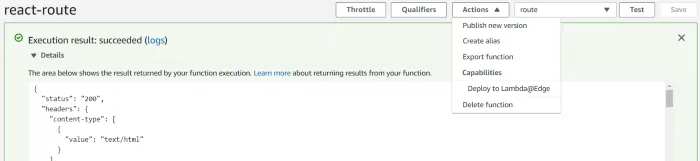
If you don’t see Deploy to Lambda@Edge in the drop down, you’ve probably created the Lambda in the wrong region. Remember, you have to create your functions in the us-east-1 region.
After clicking Deploy… you’re presented with the deployment options. Choose the distribution for your apps and select the correct behavior for your app. Make sure to set the CloudFront event to Origin response, i.e. the event after the Origin responds but before it sends the response to the user:
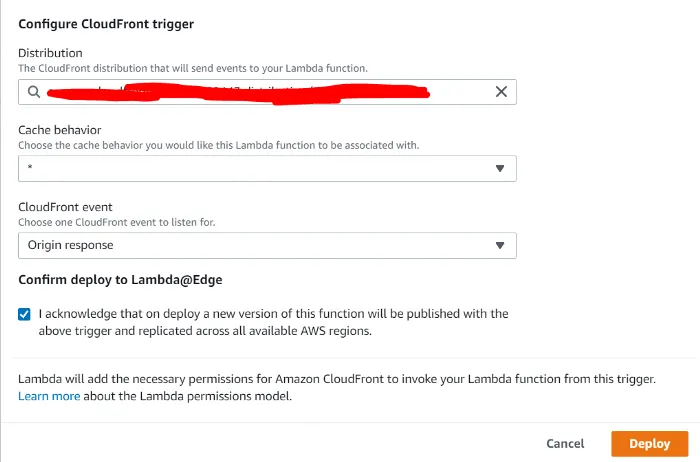
Now if you again go back to the app.example.com/dashboard url from postman, you will no more get a 404 error, instead you will get a 200. And the best part is, in the cloudfront, you can set this lambda@edge function as a response for any behavior you created. For example, your default behavior may contain this lambda@edge as an origin response, but your api/v1/* behavior will contain default API gateway behavior. Thus you will get 200 status for any 404 error from the client side for the URL and routing, and 404 error from the API gateway as normal.
Here is a great post from Sock that helped me so much.
You are on the list
The next letter goes out at the start of the month.